That one is not for sale online yet — write to us and we will sort it out by hand.
Hardware with pipeOS on it.
In stock, ships in days, 30-day returns.
Hardware.
in stock, ships in days within the US. secure checkout with shipping and tax; you set the box up yourself in a browser in three minutes. 30-day returns. usage bills your own Claude plan; nothing is metered by us. future offerings may be different machines at different prices — until December 31, 2026, this is the guarantee.
Bring your own box
$0
- any spare x86_64 box and a USB stick you already have
- download the free image, flash the stick, boot
- the same pipeOS as every box on this page
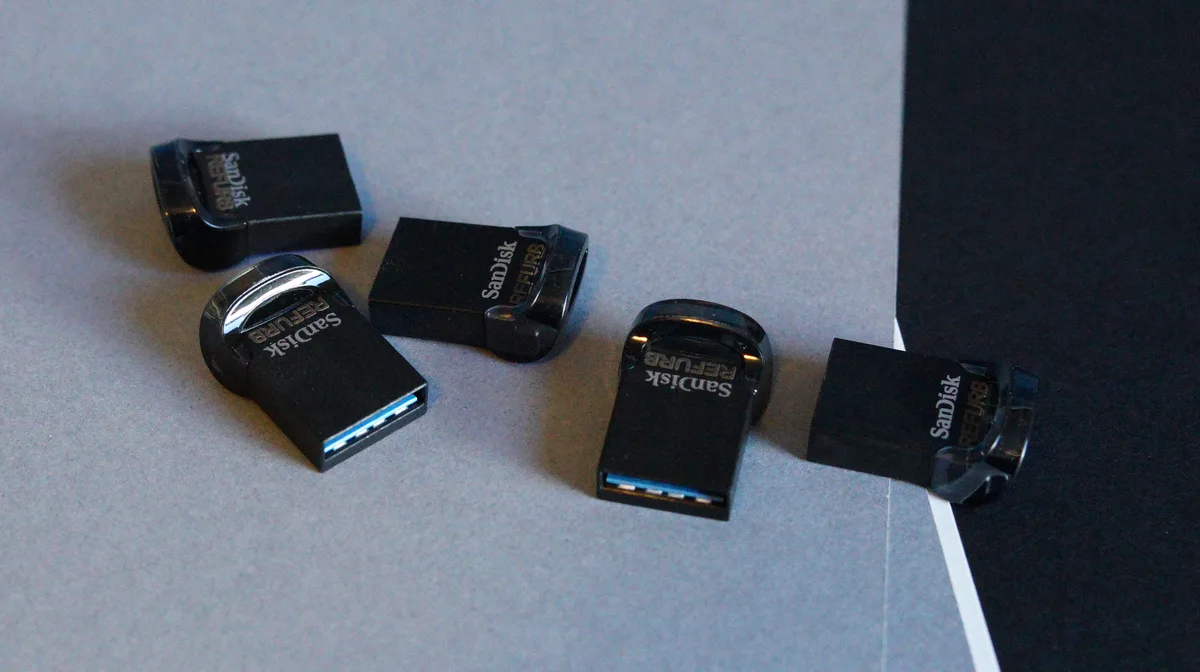
Pipe Live Disk
$20
- a USB stick with the current pipeOS image, verified good
- the same image as the free download, on media you can trust
- boot any spare x86_64 box straight into the setup wizard
- comes in a ring box; ships for $5 within the US
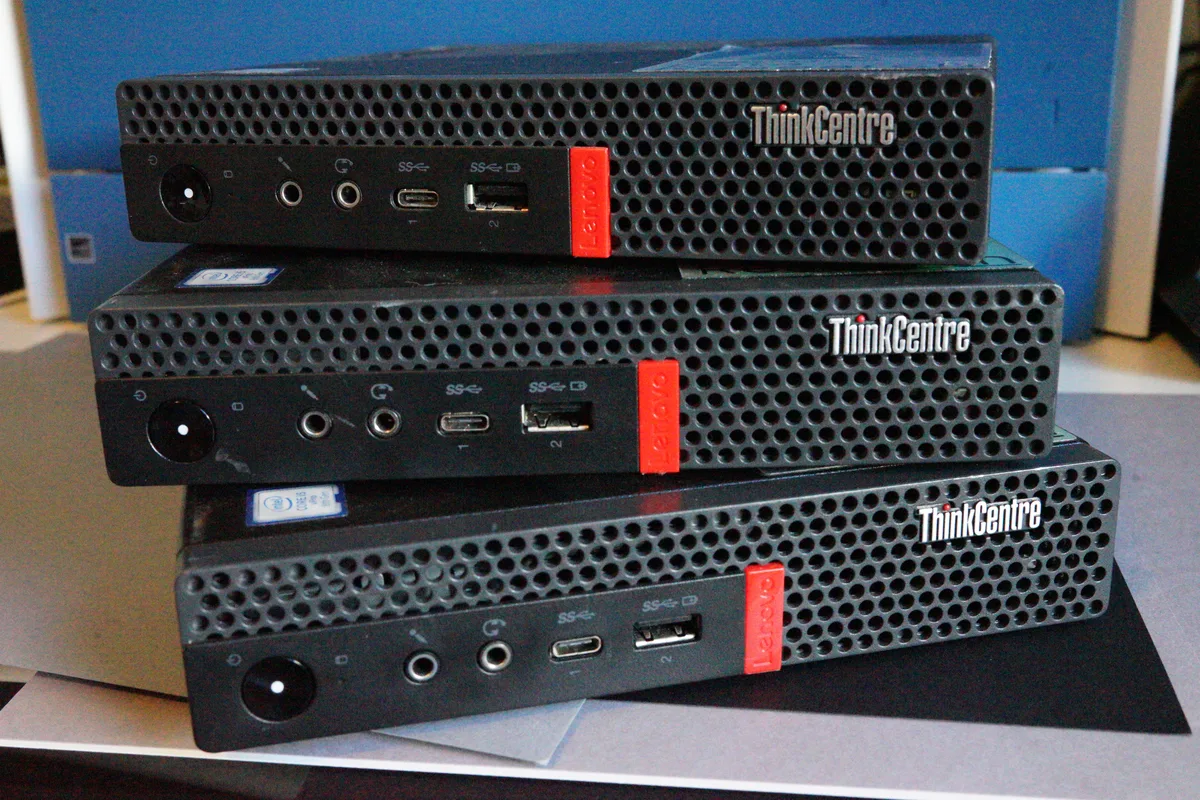
Pipe Machine
$799
- a Lenovo ThinkCentre M920q with pipeOS preloaded
- Intel Core i5, 8th gen, six cores; 32 GB RAM
- plug in power and ethernet, open its page, claim it — done
- boot media in the box; quiet, small, always on; ships for $25 within the US
- on-site install within California (+$500, tick it at checkout)
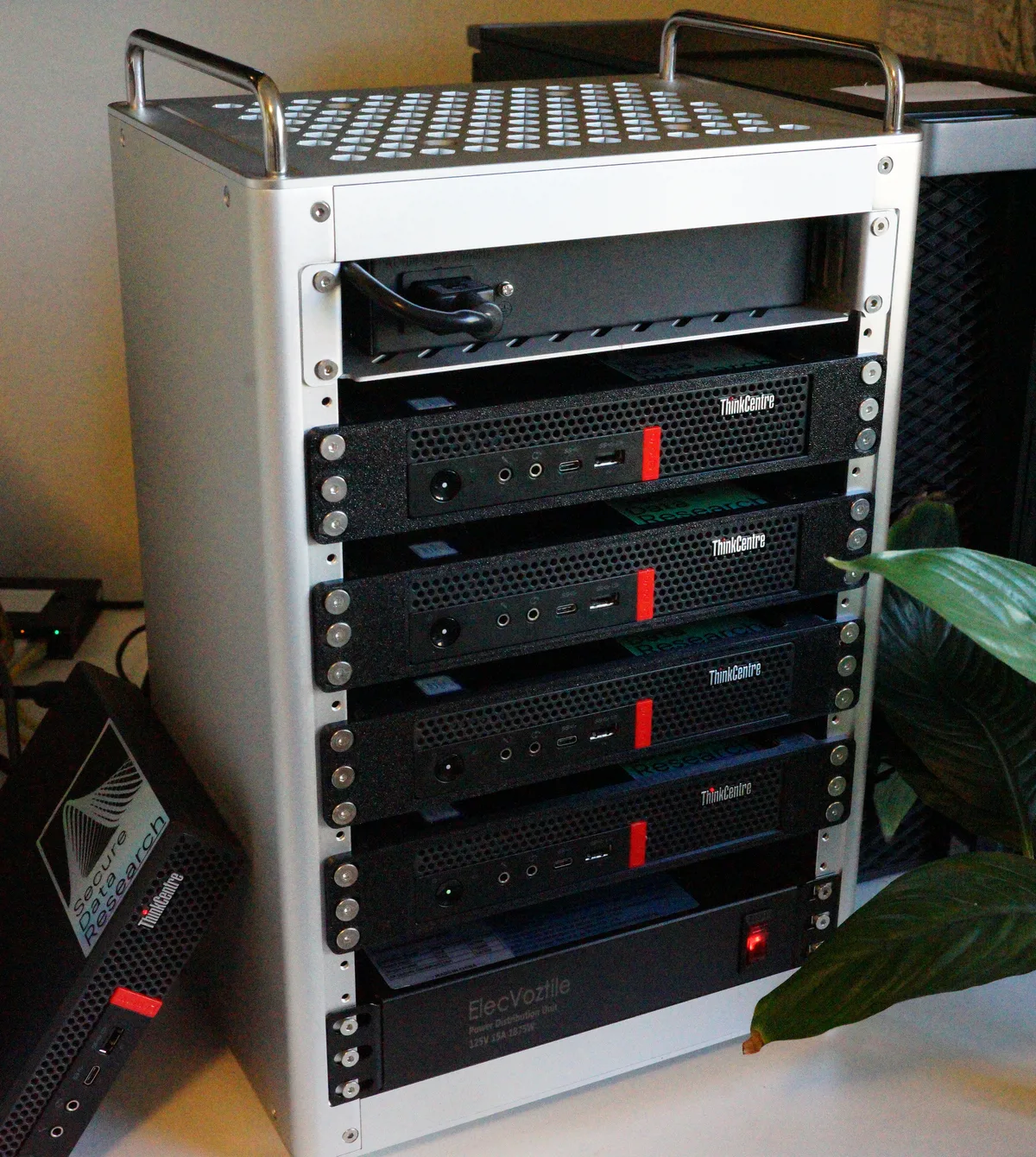
Pipe Cluster
$7,999
- four Pipe Machines linked by a 10GbE switch
- each Machine carries a 10GbE SFP+ card on a riser, fitted
- in a portable aluminium frame: one power lead, one uplink
- four agents that split work between them
- pipeOS ready on every box; freight $250 within the US
- on-site install within California (+$500, tick it at checkout)
questions first? write to us.
Lenovo and ThinkCentre are trademarks of Lenovo; SanDisk is a trademark of Western Digital. pipe is not affiliated with, sponsored by, or endorsed by either — we buy good hardware and put pipeOS on it.
after you order.
Every box ships unclaimed: the first person to open its page owns it. Then it is three minutes in a browser — the setup walkthrough. What it is and how it runs is on the pipeOS page.